Software Classes
Learn the software that turns ideas into files our machines can run! See all classes at the bottom of this page.
Vector Design & illustration:
- Make clean 2D artwork (logos, signs, etc.) for lasers, plasma, embroidery, and more. Easiest to start with!
Classes: Inkscape 101 & Inkscape 102
CAD (Computer-aided design):
- Create precise 2D + 3D parts. Our Fusion classes focus on parametric modeling (easy edits, reusable designs, etc.).
Class: 3D Modeling with Autodesk Fusion
CAM (computer-aided manufacturing):
- Turn your design into G-code (machine instructions) for CNC cutting in wood or metal.
Class: 3D Manufacturing with Autodesk Fusion
CNC (Computerized Numerical Control):
- The final step in the CAD-CAM-CNC toolchain: running your project on a machine! The reason to learn CAD and CAM is so that you can use these tools confidently and efficiently.
Tools: ShopBot CNC router, lasers, embroidery machine, Tormach CNC mill, plasma cutter, vinyl cutter, PCB engraver, 3D printers, and more
-
Never heard of CNC? Not sure how G-code, CAD, CAM, and CNC all fit together? Take our Intro to CNC Concepts class to learn the whole process hands-on: create a simple CAD drawing, use CAM to generate G-code, and run your design on an Etch-a-Sketch that we customized into a CNC machine, all in 90 minutes.

3D Modeling with Autodesk Fusion
Skill Development
3 hours
Up to 3 students
$115
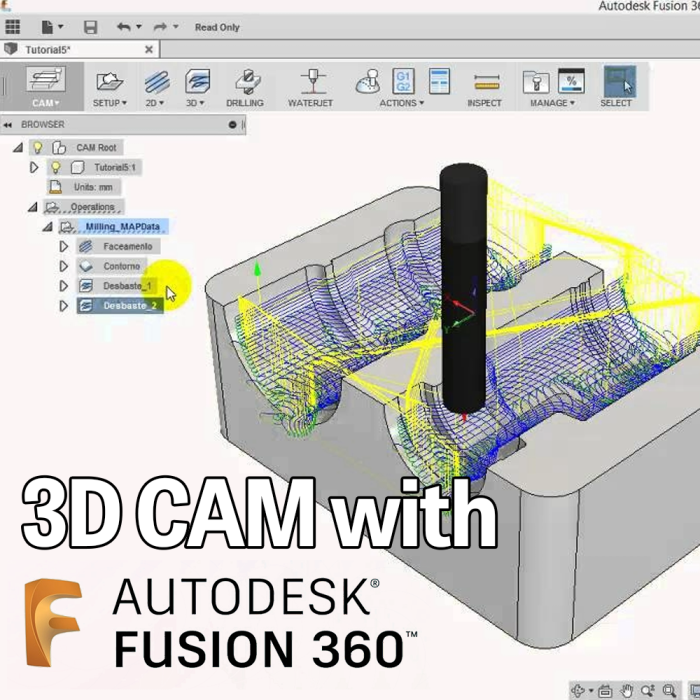
3D Manufacturing with Autodesk Fusion
Skill Development
2 hours 30 minutes
Up to 3 students
$99

Intro to CNC Concepts
Skill Development
1 hour 45 minutes
Up to 3 students
$60

Vector Illustration 101 with Inkscape
Skill Development
2 hours
Up to 3 students
$75

Vector Illustration 102 with Inkscape
Skill Development
2 hours
Up to 3 students
$75

PCB Layout with KiCad
Skill Development
3 hours
Up to 3 students
$105

Intro to G-Code
Skill Development
1 hour 45 minutes
Up to 4 students
$60